

Printing name toppers for pencils and pens with the Pen Topper Generator
Difficulty: easy. Time: 2 minutes to set up, about 15 minutes to print one. Best method: 3D printing in PLA, one or two colours.
A topper that wobbles falls off in a pencil case, and one that is too tight splits along the layers. The fit comes from two numbers: the barrel diameter and the grip clearance on top of it. The presets cover the common barrels, and calipers cover everything else.
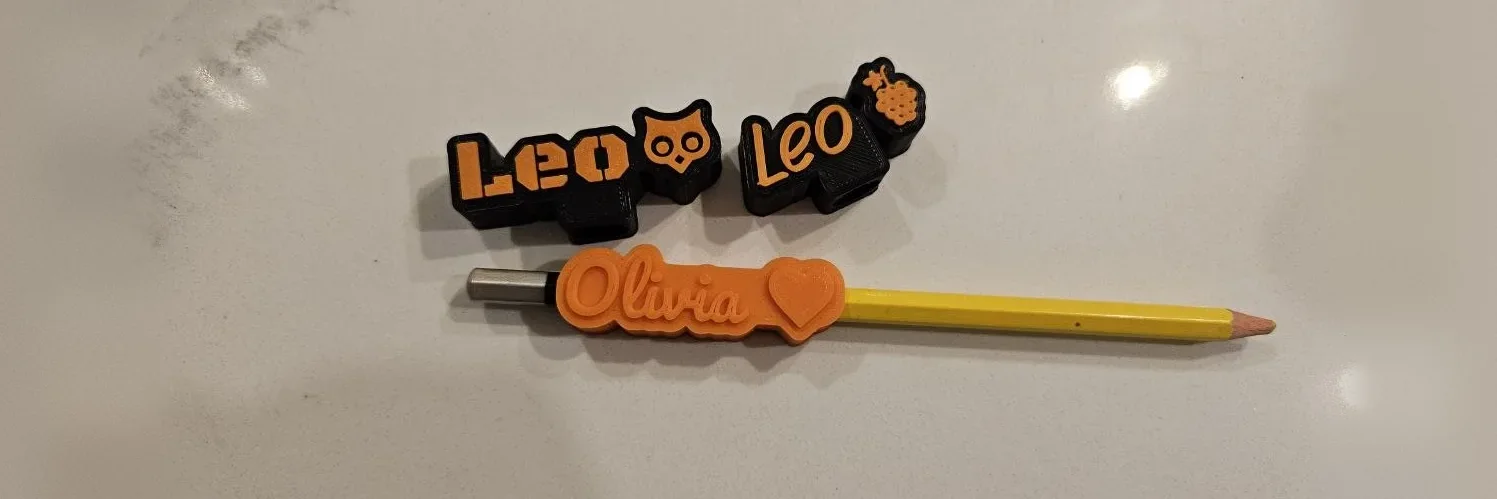
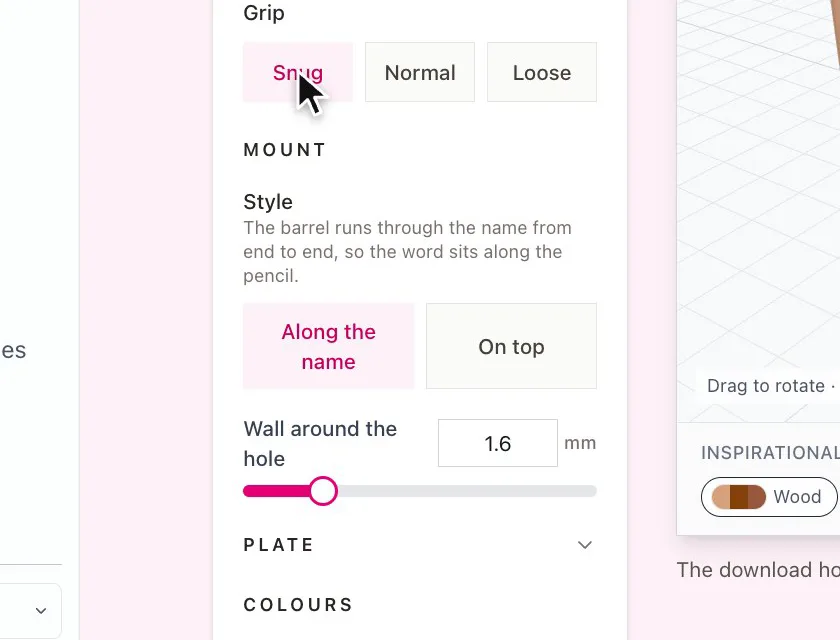
There are two styles. Along the name runs the barrel through the word from end to end, so the name sits along the pencil. On top stands the name on the end of the barrel, held by a socket, a hole straight through or a collar.
On this page (3)
What you need
- A 3D printer and PLA, in two colours if you want the letters to stand out
- The pencils, pens or straws the toppers are for
- Calipers if your barrel is not one of the presets
1. Type the names
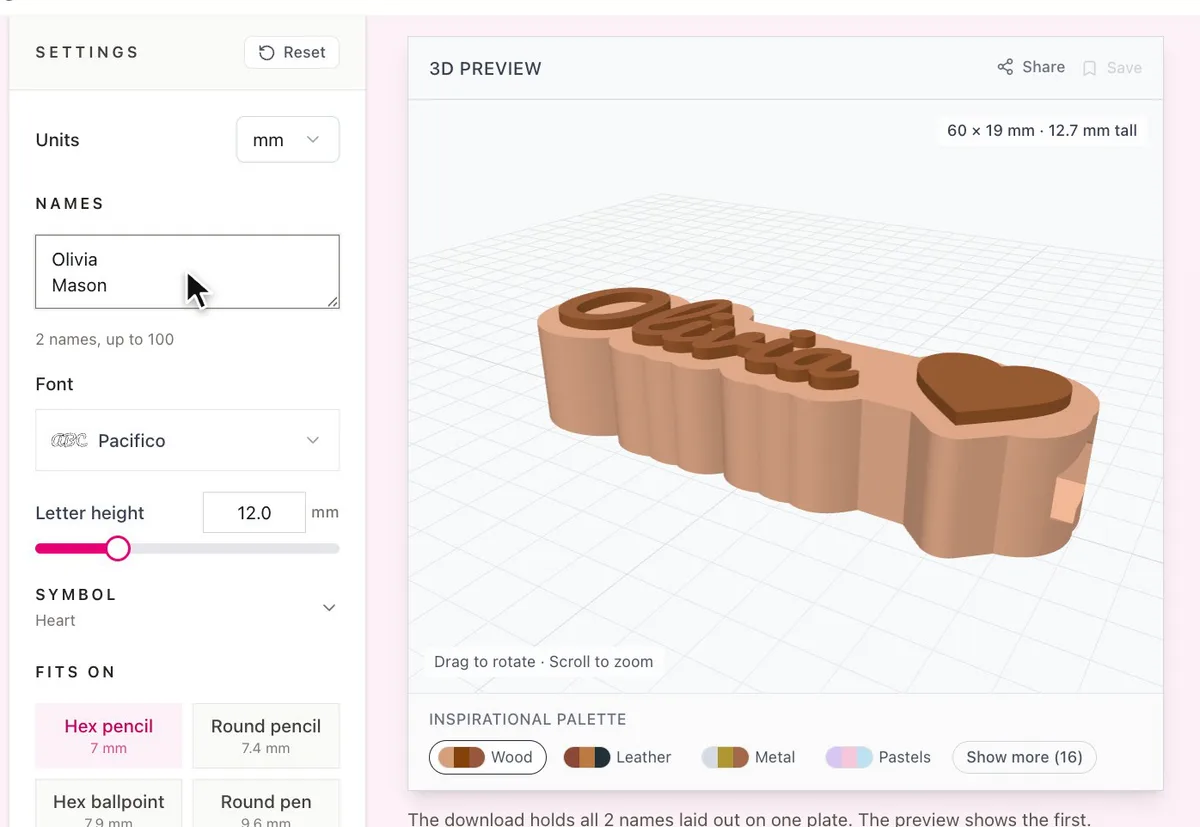
Type one name per line under Names, up to 100. The preview shows the first name, and the download holds all of them laid out on one plate. Pick a Font and a Letter height, and add a Symbol before, after or above the name if you like.
2. Pick what it fits on
- Choose a preset under Fits on, from Hex pencil to Bubble tea straw, or My own size.
- For your own size, measure the barrel. For a hex barrel, measure Across the flats.
- Grip adds clearance on top of the diameter: Snug 0.05 mm, Normal 0.2 mm, Loose 0.4 mm.
- In the On top style, choose where The barrel goes: Inside a blind socket, Through the name for straws and cords, or a Collar for thick markers.
Choose your build method
3D printing
Print settings
- The topper prints flat on the bed with no supports. The hole runs along the plate.
- Use the 3MF to keep the plate and letter colours apart. The STL is one colour.
- No multi colour unit? The generator tells you the height to pause at and swap filament for the letters.
- Print one first and test the fit before you print a whole class. Change Grip if it is loose or tight.
Next steps and project ideas
- Paste a class list into Names for back to school gifts, one plate for everyone.
- Use Bubble tea straw or Straw with Through for party cups and drink markers.
- Try the Inspirational Palette under the preview to pick filament colours that go together.
Take the design into your software
Was this guide helpful?
More in Workshop and crafts

Keep up with MyLaserTools.
Email me about new tools, product updates, tutorials, and occasional MyLaserTools offers. Unsubscribe at any time.
© 2026 MyLaserTools.com. All rights reserved.