

Which file to download for your machine
Reading time: 3 minutes.
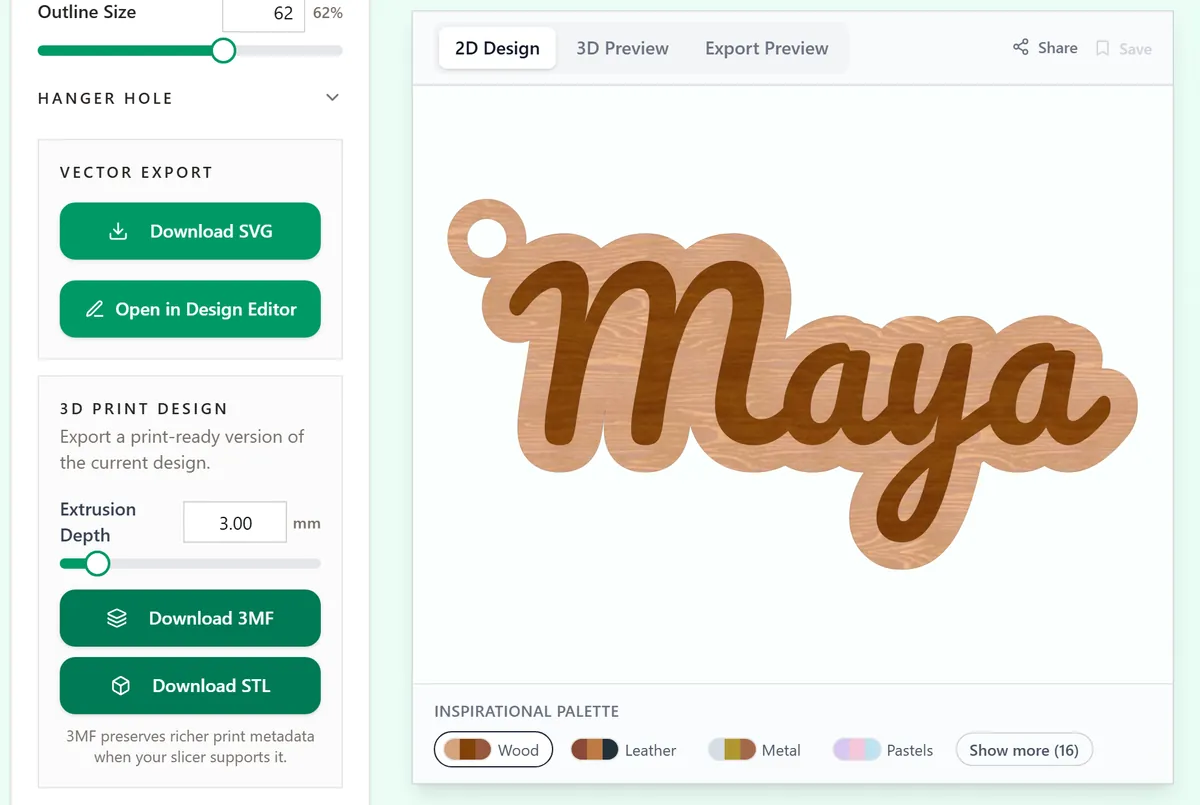
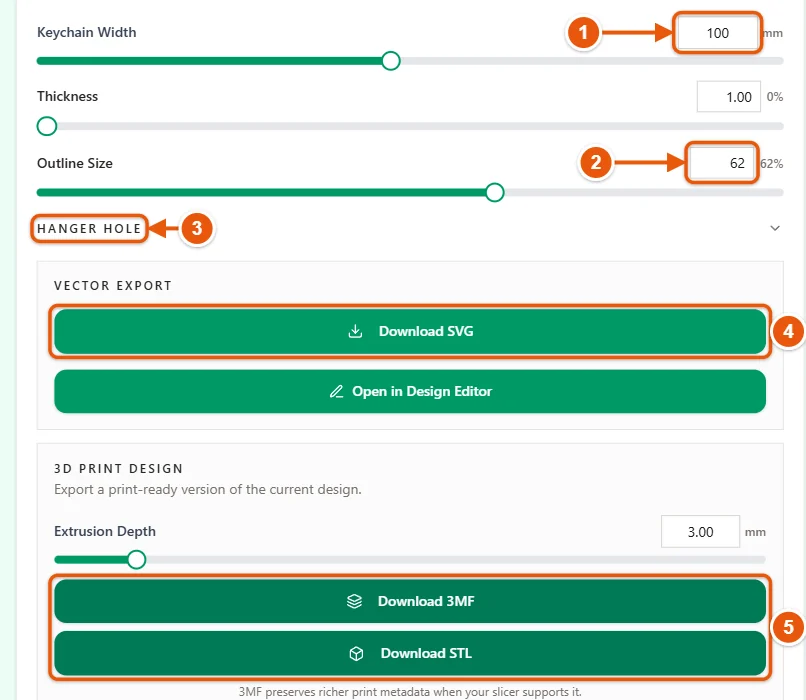
The download buttons sit under each tool's settings. Almost every tool has Download SVG. Tools that make something printable add Download 3MF and Download STL, and the photo and print tools add PNG or PDF. Choose by machine: renaming a PNG to .svg does not give your laser anything to cut.
On this page (4)
1. Find your machine
| Your machine | Download | What to do next |
|---|---|---|
| Laser cutter or engraver | SVG. PNG for a photo engraving. | Import it into LightBurn or xTool Studio, check the size, and set cut, score or engrave for each colour. |
| Cricut or Silhouette | SVG | Upload it and check the size. Silhouette Studio opens SVG from Designer Edition up; Basic Edition opens the PNG instead. |
| Print then cut | The print and cut download of the tool: a PNG or PDF to print and the outline to cut. | Place both in your cutter software at the same size. Cricut and Silhouette add their own registration marks. |
| 3D printer | 3MF for two or more colours, STL for one colour. | Open it in your slicer, pick your printer and filament, give each part of a 3MF its own filament and slice. |
| CNC router | SVG for cutting shapes out. STL for carving a relief. | Import it into your CAM software, such as Carbide Create, VCarve or Easel, and set the bit, depths and feeds there. |
| UV printer | PNG with a transparent background. | Place it at the panel size in the printer software and choose whether to print white under the colours. |
| DTF or apparel printer | PNG with a transparent background. | Set the width you want on the garment and let the printer software mirror it. |
| Home printer | PDF, or PNG where a tool has no PDF. | Print the PDF at 100% scale and measure the result with a ruler. |
2. Check the size after import
Files leave MyLaserTools at the size you set. After import, compare the width your software shows with the width in the tool. If it is off by a fixed ratio, such as 0.75 or 1.33, the software read the file at the wrong DPI; in LightBurn that is the 96 or 72 DPI setting for SVG import. Here is the fix. STL files carry no units at all, so check the size in the slicer as well.
3. Follow the guide for your software
Troubleshooting
- The import is the wrong size: check the units and import DPI in your software before you change the design.
- A PNG has nothing to cut: a PNG is pixels. Download the SVG for cut lines.
- The model shows up in one colour: you opened the STL, or the slicer has not given the parts their filaments yet. Open the 3MF, keep its parts together as one object and choose a filament for each part.
Next steps and project ideas
Was this guide helpful?
More in Getting started
Keep up with MyLaserTools.
Email me about new tools, product updates, tutorials, and occasional MyLaserTools offers. Unsubscribe at any time.
© 2026 MyLaserTools.com. All rights reserved.