
What is MyLaserTools?
MyLaserTools is a suite of 180+ online design generators for laser cutting, CNC machining, and 3D printing. Type your text, choose options, and download a ready-to-cut file. Most tools are free and need no account. Map Designer exports and paid Art Library artwork use sparks or the relevant membership access.
See it in action
Watch a keychain go from typed text to a finished piece: pick a tool, customize it, and download an SVG to laser cut or an STL to 3D print. That is the whole workflow, all with free design tools.
Watch on YouTubeCreate and customize your design for free
The free Community Designs library is now live. Share a design you made
Free family tree designs for laser cutting and 3D printing
How it works
1. Type and customize
Pick a tool, enter your text or upload a photo, then adjust options like fonts, shapes, sizes, and layers with a live preview.
2. Download your file
Export an SVG for laser cutting or CNC, an STL or 3MF for 3D printing, or a PNG for printing. Nothing to install.
3. Make and sell
Cut, engrave, or print on your machine. A commercial license is included, so you can sell your finished pieces.
What you can make
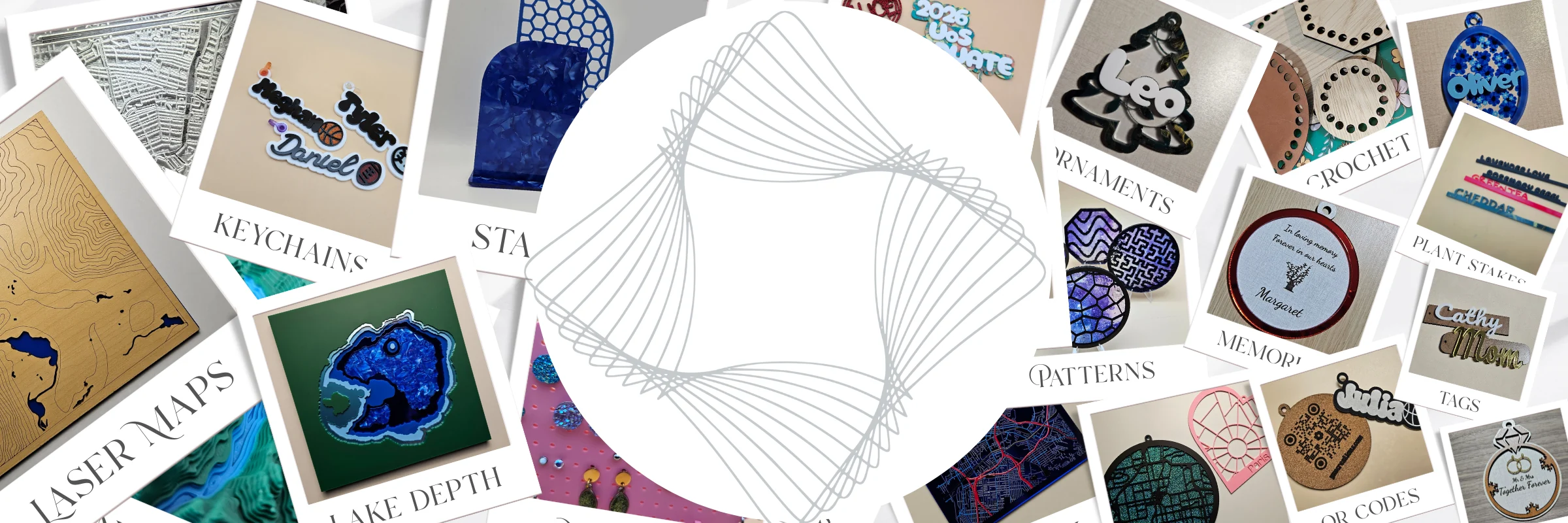
Create personalized signs, keychains, cake toppers, boxes, jewelry, ornaments, puzzles, clocks, and photo frames. Design layered laser-cut city maps, lake maps with surveyed or estimated depths, ocean bathymetry maps, and topographic landscapes. Photo tools turn images into engravable line art, halftones, spirals, lithophanes, and relief plaques.
Browse everything by category on the homepage, read step-by-step tutorials in the Learning Center, see finished projects in the gallery, or start from scratch in the free Design Editor.
Map Designer
Layered laser-cut maps, made simple
Turn city streets, lake and ocean depths, and terrain contours into layered maps. Presets set up the layers for you, so you can customize a place instead of drawing it from scratch.


For lakes, choose real surveyed depths where available or an estimated underwater shape. Coastal and ocean maps use a separate ocean bathymetry dataset.
Choose a place
Start with a preset, then search for your city, lake, coastline, or landscape.
Adjust and preview
Set the size and layers, then use the 3D preview to see how the stack fits together.
Export, cut, and stack
Download separate SVG layers or a combined SVG for your laser software, then cut and assemble.
A free account includes every public preset, saved projects, and 100 sparks to spend, 10 per map export. Options for more exports
Frequently asked questions
What is MyLaserTools?
MyLaserTools is a suite of 180+ online design generators for laser cutting, CNC machining, and 3D printing. You type your text and choose options, and each tool produces a ready-to-cut file to download. Most tools are free and need no account. Map Designer exports and paid Art Library artwork use sparks or the relevant membership access.
Is MyLaserTools free?
Yes. Most tools are free with unlimited downloads. A free account includes Map Designer, public presets, saved projects, and 100 sparks to spend: 10 per map export and 2 per paid artwork unlock. After that, choose a one-time pack or optional Pro for unlimited map exports.
What file formats can I export?
Tools export SVG for laser cutting and CNC, STL and 3MF for 3D printing, and PNG for printing, depending on the tool. Files are standard formats that open in any compatible software.
Which machines and software does it work with?
The SVG, STL, 3MF, and PNG files work with Glowforge, xTool, Epilog, Trotec, LightBurn, Cricut, Bambu, Prusa, and any other laser, CNC, or 3D printer that accepts these standard formats.
Do I need to install anything or sign up?
No installation is needed. Most tools require no sign-up. Map Designer and Art Library artwork downloads require an account. New accounts start with 100 sparks shared between map exports and paid artwork unlocks. Map Designer uses online map data and rendering, and stores saved projects in your account. Photo tools process your images locally so they never leave your device.
Can I sell what I make with MyLaserTools?
Yes. Every plan allows personal and commercial use, including physical products you sell. Free accounts may also resell Design Editor designs, including unlocked Art Library artwork. Reselling generator and Map Designer files requires Supporter or Pro, and files made during a membership can still be resold after it ends. Mass downloading or building a competing catalogue is not allowed. See the licensing page for details and attribution requirements.
Free community designs
Browse the community gallery for free, ready-to-cut SVG designs shared by other makers. Every community design is completely free to download, and you can publish your own designs to share with makers worldwide.
Join the community
Follow along for tutorials and new tools, and share what you make with makers around the world.
Questions or feedback? Email us at support@mylasertools.com.
Keep up with MyLaserTools.
Email me about new tools, product updates, tutorials, and occasional MyLaserTools offers. Unsubscribe at any time.
© 2026 MyLaserTools.com. All rights reserved.