

Making engraved bookmarks with the Bookmark Generator
Difficulty: easy. Time: 10 minutes design, 5-10 minutes on the laser. Best method: laser engraving on plywood or acrylic.
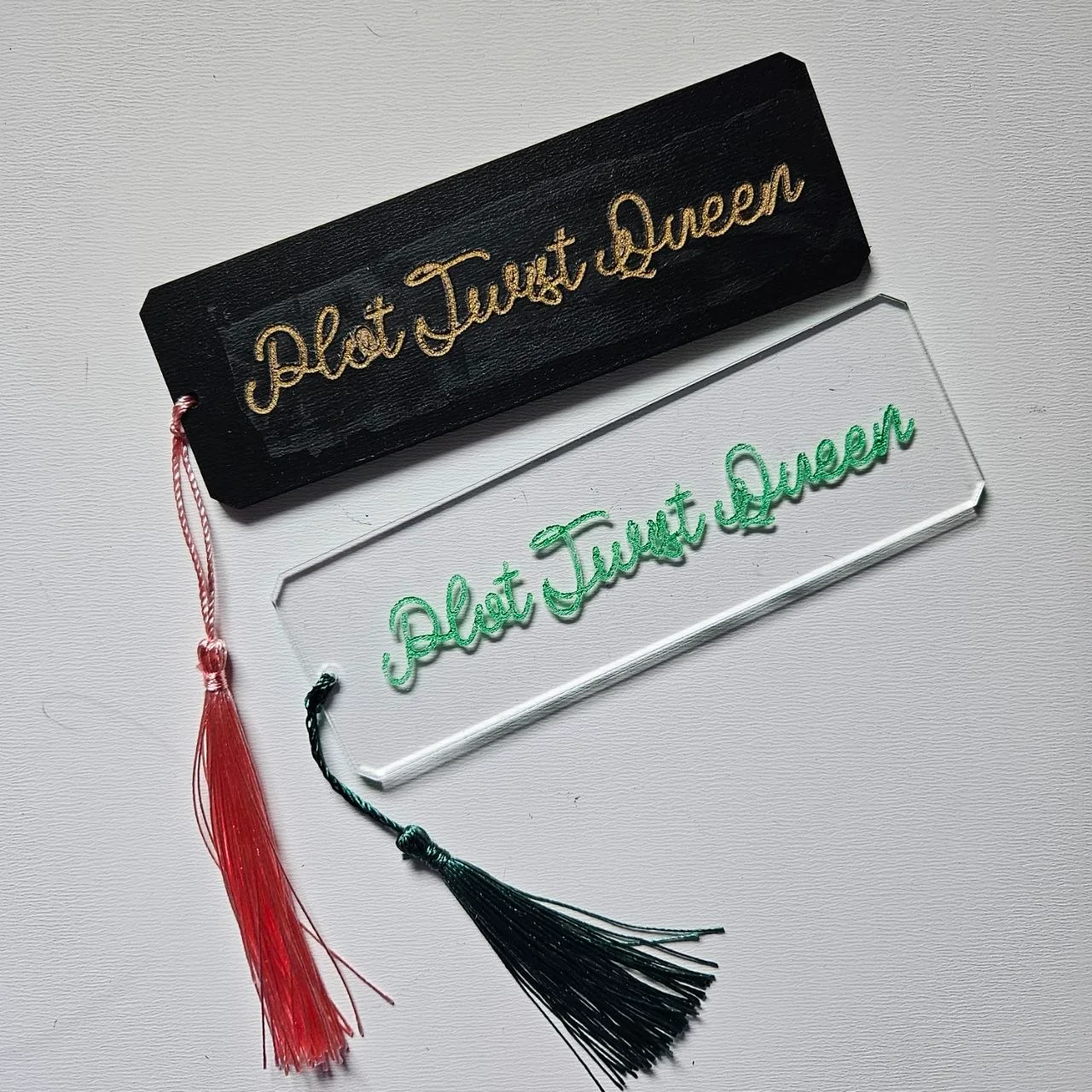
This is the rigid-bookmark sibling of the leather version: a wood or acrylic blank with engraved lines of text stacked down its length. Click Add Phrase to stack as many lines as you like (a name, a quote, a book-and-chapter reference) each with its own font, and control the spacing between them with Row Gap. Add a Symbol, choose a Corner Style (Square, Rounded, or Beveled), set the Bookmark Size and Hole Size for a tassel, and export.

What you need
- Laser cutting: 3 mm laser-grade plywood (the classic) or acrylic for jewel-tone translucent bookmarks
- Finishing: embroidery floss or thin ribbon for the tassel, a wipe of finishing oil for wood
1. Build the text stack
Add phrases one per line: a strong combo is a short name line in a script font over a quote line in a clean serif. Use Row Gap to breathe; cramped lines engrave into each other on small bookmarks. A Symbol at the top or between lines anchors the design.
2. Shape the blank
- Set Bookmark Size: 40 x 150 mm is the comfortable standard.
- Pick a Corner Style: Rounded survives pockets and page corners best, Beveled looks sharpest in acrylic.
- Set Hole Size to 4-5 mm so a folded tassel cord passes through.
3. Export the SVG
Download the SVG: text and symbol on the engrave layer, outline and hole on the cut layer.
Choose your build method
Laser Cutting & Engraving
Laser cutting
- Engrave the text first: on plywood, aim for an even dark burn; on cast acrylic, a light pass gives a frosty engraving.
- Cut the outline and tassel hole after engraving so the part never shifts between passes.
- Mask plywood if you want zero smoke staining around fine fonts.
- Oil or wax wooden bookmarks; it deepens the engraving contrast dramatically.
- Add a floss tassel through the hole and it is gift-ready.
Next steps and project ideas
- Teacher thank-you set: each one engraved with a different line the class voted on.
- Book club editions with the club name on line one and the year's reading list as tiny lines below.
- Clear acrylic with white engraving looks like etched glass between pages.
- Beveled corners plus a monogram symbol makes a sharp groomsman gift.
- Engrave reading milestones like 10 Books! and 25 Books! as reading rewards for kids.
- Walnut plywood with gold-painted engraving (paint fill after engraving) is the deluxe upgrade.
- Pair with the Reading Guide Generator for a literacy gift set.
Take the design into your software
Was this guide helpful?
More in Workshop and crafts

Keep up with MyLaserTools.
Email me about new tools, product updates, tutorials, and occasional MyLaserTools offers. Unsubscribe at any time.
© 2026 MyLaserTools.com. All rights reserved.