

Making a heritage keepsake with the Country Borders Map preset
Difficulty: Beginner (print) to Intermediate (laser) · Time: 15 minutes (print) to 60 minutes (laser cut) · Methods, ranked: 1) High-res print / UV print, 2) laser cut the country silhouette as a standalone shape, 3) single-color engrave with the border as the bold line.
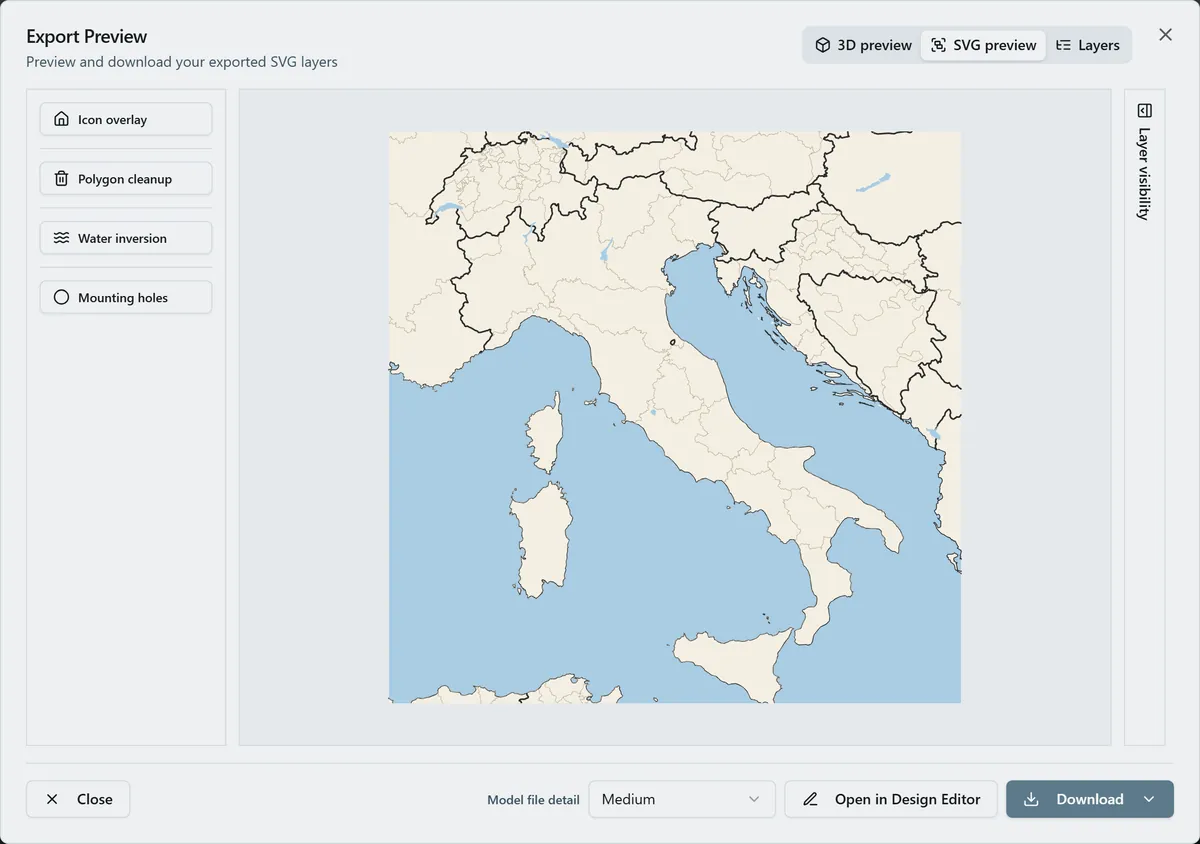
A whole country, reduced to its outline, is one of the most recognizable and meaningful shapes you can give someone: the place a family emigrated from, a heritage, a flag. This preset frames a nation at country scale: land on warm parchment, sea in soft blue, a bold national border, and faint internal regions for context. It ships set up on Italy; search any country and re-center.

On this page (5)
What you need
Print (recommended)
- The exported 4096 px PNG and a frame, or a UV flatbed onto white acrylic
Laser
- 3 mm Baltic birch or acrylic; laser engraver or cutter
1. Center the country
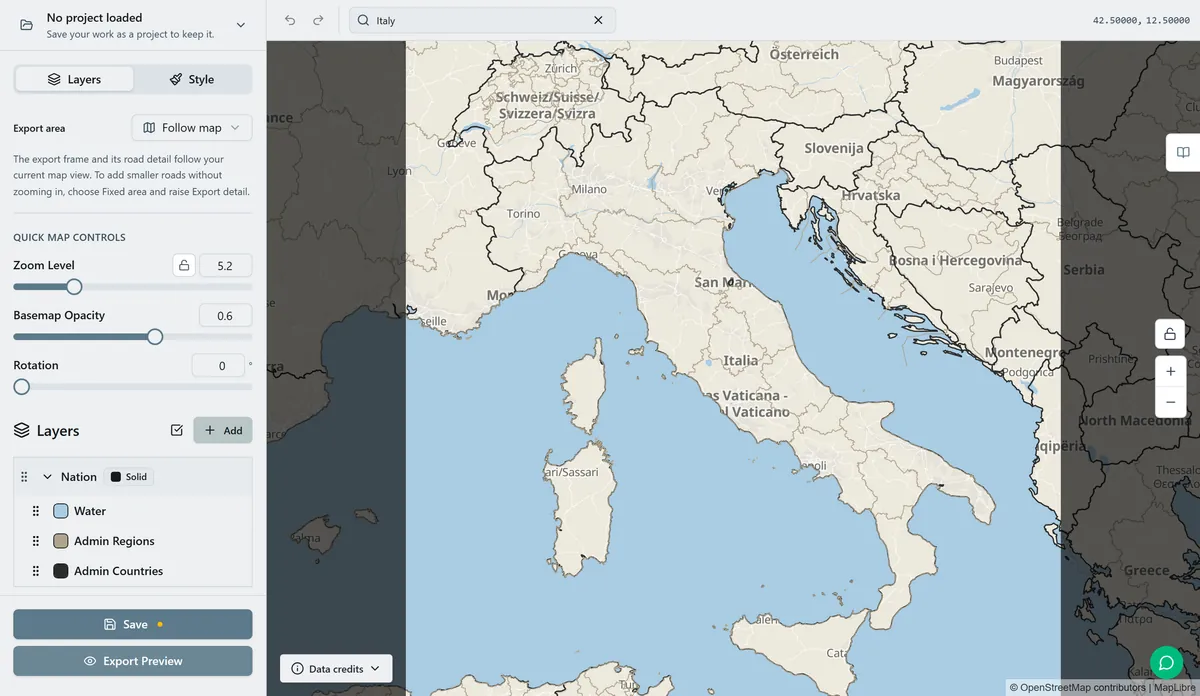
Open the Country Borders Map preset. It loads on Italy at zoom 5.2. Search your country and adjust zoom so the whole nation sits in frame with a little sea or neighboring land around it: large countries need a lower zoom, small ones higher.
Country borders render from a low-zoom boundary source, so keep the zoom in the country-scale range (roughly 4 to 7) rather than city zoom.
2. Tune the look
One Nation layer: parchment land, soft blue sea, a bold national border line, and a faint region line for internal context.
- Hide the regions for a clean, pure silhouette; keep them for an atlas feel.
- Thicken the national border for a bolder, more graphic outline.
- Recolor land and sea to a flag's colors for a national-pride piece.
3. Export
- Print: high-res PNG (4096 px), Background on.
- Laser cut silhouette: export the land as a cut path to get the country as a standalone wooden shape.
- Small-polygon cleanup on so small offshore islands don't become tiny loose pieces (or keep them if they matter).
Choose your build method
UV & Sublimation Printing
Framed print
- Export the PNG and print at 250 to 300 mm on matte paper.
- Caption with the country name in its own language for a heritage gift.
- UV variant: print on white acrylic for a crisp, modern outline.
Laser Cutting & Engraving
Cut or engrave the silhouette
- Cut the country outline from birch or acrylic as a standalone shape: a magnet, ornament, or wall piece.
- Engrave the regions and a city dot onto the silhouette before cutting.
- For a layered piece, cut the sea as a base and inlay the land silhouette on top.
Next steps and project ideas
- Heritage gift: the country a family emigrated from, with a small heart at the home town.
- Flag-colored: recolor land and sea to the national flag.
- Two-country piece: birth country and adopted country side by side.
- Map pin set: cut several country silhouettes as fridge magnets for places someone has lived.
Take the design into your software
Was this guide helpful?
More in Map Designer

Keep up with MyLaserTools.
Email me about new tools, product updates, tutorials, and occasional MyLaserTools offers. Unsubscribe at any time.
© 2026 MyLaserTools.com. All rights reserved.