

Printing dough and clay cutters with the Text Mold Maker
Difficulty: easy. Time: 10 minutes of design, 1 to 3 hours of printing. Method: 3D printing only.
A name cutter is a cookie cutter for words: thin walls trace every letter, so one press stamps a whole name into dough or clay. This tool builds the cutter geometry for you, with letters connected into one piece, an optional outline border, and an optional symbol like a heart or star at either end.
Kids' names for play-doh, custom cookie names for parties, clay gift tags for small businesses: design takes minutes and everything exports as a print-ready STL or 3MF.
On this page (4)
What you need
- An FDM printer and PLA or PETG. Printed plastic has small gaps between the layers that trap dough, so a printed cutter is best for clay and play-doh. For cookies, read Prusa's food-safe printing guide first.
1. Enter the name
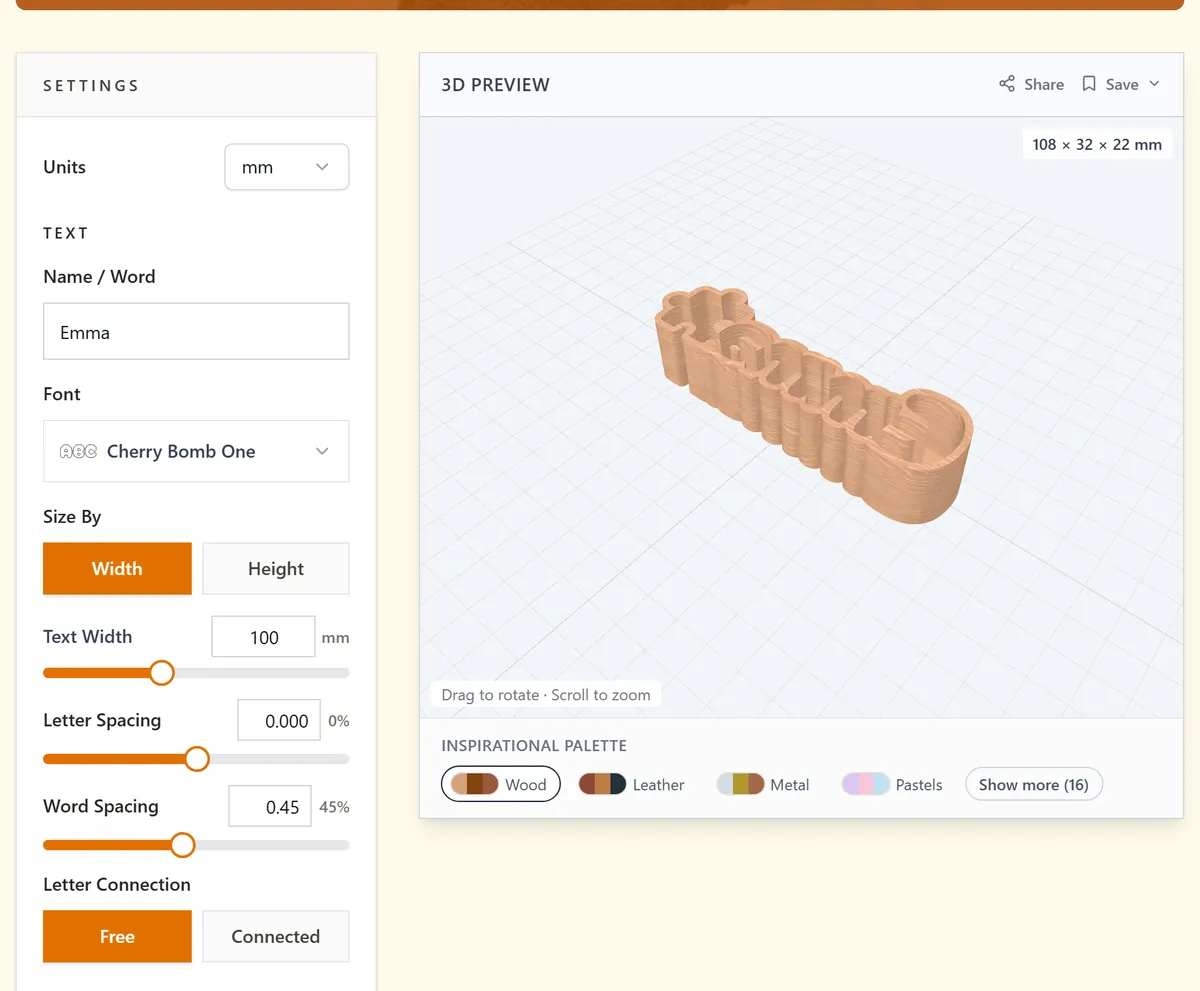
Open the tool and type into Name / Word, then pick a Font. Rounded, chunky faces stamp the cleanest; fine serifs clog with dough. Letter Connection chooses how letters join: Connected fuses them into one continuous cutter, Free keeps natural spacing with a connecting structure, or use both behaviours where they fit.
2. Shape the cutter
- Size By Width or Height, then set Text Width or Text Height in real units; match it to your cookie or tag blank.
- Letter Spacing and Word Spacing tune the gaps; leave enough room that walls from neighbouring letters do not merge.
- Outline Thickness controls the cutter walls. Raise it if the walls look thin in the preview, so the cutter does not bend when you press.
- Mirror Text flips the design for stamp-style use, where the pressed result must read correctly.
- Add a Symbol (heart, star, and friends) with its own Symbol Size and Position on the left, right, or both ends.
3. Download
Check the 3D preview, then download the STL or 3MF. The cutter exports as a single solid ready for slicing.
Choose your build method
3D printing
Printing and using the cutter
- Slice with the cutting edge up and the flat back on the bed; no supports needed.
- Use 3 to 4 perimeters and 0.2 mm layers; the walls are mostly perimeter anyway, so infill barely matters.
- Keep a cutter you use for clay for clay only, and print a separate one for dough.
- Dust the cutter with flour (dough) or cornstarch (clay) before each press for clean release.
- Press straight down, wiggle slightly, lift; poke stuck centers out with a toothpick.
- Hand wash promptly; printed layer lines hold residue if it dries.
Next steps and project ideas
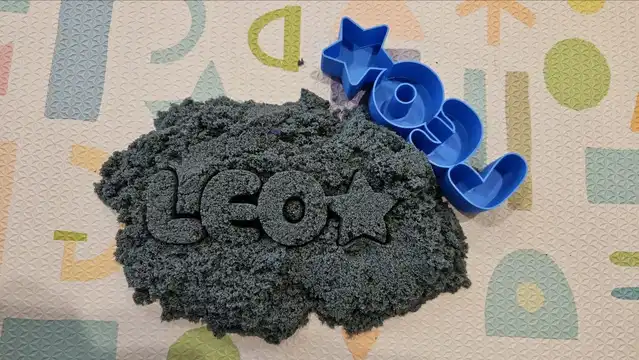
- A play-doh name cutter is a beloved toddler birthday gift; add a star symbol on each side.
- Batch name cookies for a classroom party from one cutter per child.
- Clay gift tags: stamp customer names into air-dry clay, pierce a hole, and bake-free gift tags are done.
- Mirror Text plus shallow pressing turns the cutter into an embossing stamp for fondant.
- Make a SOLD cutter for realtor closing-day cookies.
- Cutter sets of holiday words: NOEL, JOY, BOO, depending on the season.
- Kinetic sand name molds keep restaurant waits peaceful.
- Stamp a maker mark word like HANDMADE into the back of your polymer clay pieces.
Take the design into your software
Was this guide helpful?
More in Text and lettering


Keep up with MyLaserTools.
Email me about new tools, product updates, tutorials, and occasional MyLaserTools offers. Unsubscribe at any time.
© 2026 MyLaserTools.com. All rights reserved.