

Display Case Generator
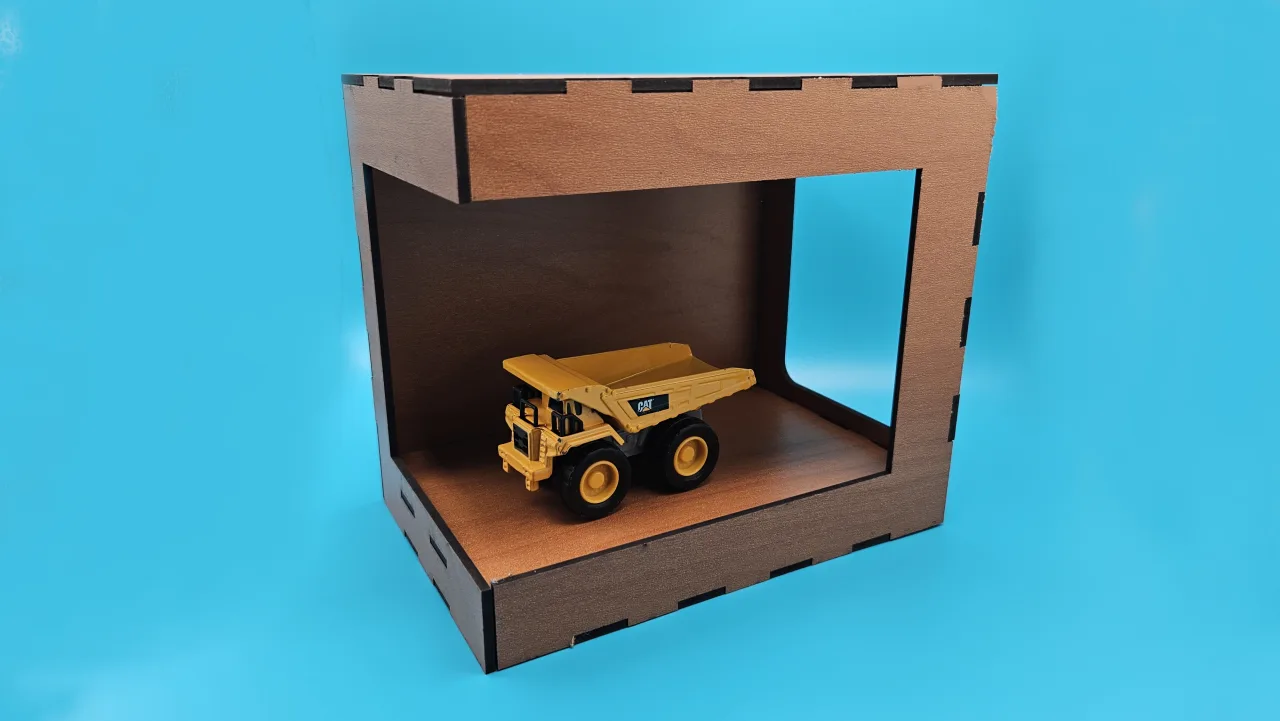
A finger-jointed display case with viewing windows and an interior shelf, laid out flat for laser cutting.
Settings
Dimensions
Construction
Windows
Vector Export
3D Print Design
Every panel is exported as its own print-ready part, zipped together at the material thickness.
3MF preserves richer print metadata when your slicer supports it.
Generate a design to see the 2D preview
Generate a design to see the export preview
Examples
Laser cut with the right corner opened, so the window runs through it and there is no vertical post beside the shelf.
Material used:
Set the thickness slider to match your sheet before cutting, since every finger joint and shelf slot is derived from it.
How to use
Frequently Asked Questions
Yes. Set the size, windows and options you want, then download the SVG or the print-ready parts with no watermark and no export limits.
Set the thickness slider to your actual sheet thickness before exporting. Every finger joint, shelf tab and shelf slot is derived from it, so a 0.2 mm error is the difference between a press fit and a rattle. Measure the sheet rather than trusting the label.
Yes. Pick any combination of front, back, left, right and top. The bottom always stays solid so the case has a floor, and the window size slider sets how much of each panel the opening fills inside a frame that always clears the joints.
It runs the window straight through the left or right corner, so there is no vertical post between the front and that side wall. The front panel becomes a bracket and that corner carries no joints, while the floor, lid and back still hold the case square. It is the classic open diorama look.
The shelf is cut with tabs on its left, right and back edges, and matching slots are cut into those three walls. It sits just below the window opening so it never crosses the glass line, and its front edge stays plain so no joinery shows through the window.
Yes. The 3D export gives you a zip with one print-ready part per panel, each extruded to the material thickness with the windows and shelf slots already cut. Choose STL or 3MF, and the parts are numbered to match the flat sheet layout.
Visit the MyLaserTools Learning Center for a step-by-step Display Case Generator guide, plus material tips and file-format help for laser cutting, CNC, and 3D printing. The guides walk you through every setting and how to prepare your files for your machine.
Open the Display Case Generator guideAbout
This free display case generator lays out a finger-jointed box with viewing windows on any combination of sides, perfect for figurines and collectibles. Open a corner to run the window through it for a diorama with no vertical post. All panels are nested flat with interlocking finger joints, so the case press-fits together with minimal glue.
Keep up with MyLaserTools.
Email me about new tools, product updates, tutorials, and occasional MyLaserTools offers. Unsubscribe at any time.
© 2026 MyLaserTools.com. All rights reserved.