


Photo to Connected Outline Generator
Free tool. Turn any photo into closed connected outlines you can fill, stroke, engrave, or cut. Perfect for portrait silhouettes, stencils, vinyl, and screen prints.
Upload Image
Drag & drop or click to upload
Supports JPG, PNG, GIF, WebP
Only upload images you own or have permission to use.
Connected Outline Preview
Upload an image to start
Photo to Connected Outline Examples
A pet photo turned into a single closed silhouette and laser-cut from cardstock. The connected-outline output is solid enough to cut out cleanly without fragile thin bridges.
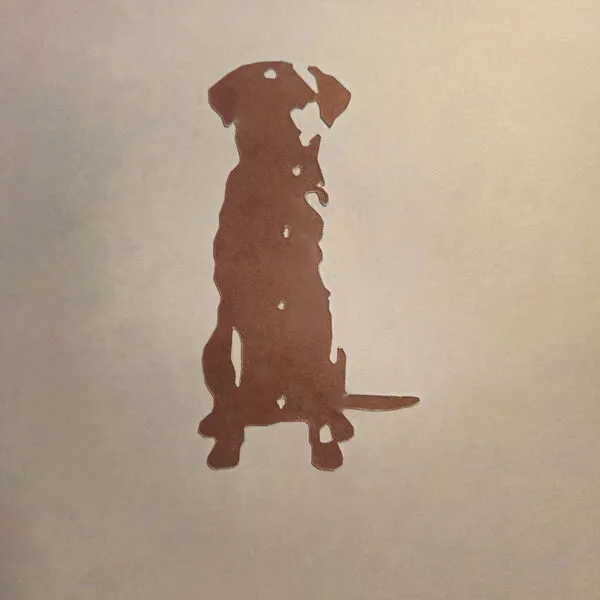
- Brown cardstock, single layer
- Laser cut along the outline
Cardstock cuts fast on most diode and CO2 lasers, so this is a great quick test before committing to wood or acrylic. Mind the inner holes (eye, paw gaps), they need a solid bridge to the outer shape.
Frequently Asked Questions
Yes. The Photo to Connected Outline Generator is 100% free with no limits, no watermarks, and no trial period. Generate and download as many files as you want, free forever.
About
Free tool that turns any photo into closed connected outlines — silhouettes around the dark (or light) regions of your image. Each contour is a closed loop you can fill or stroke. Perfect for engraving, screen prints, vinyl cuts, and stencils.
Everything runs right in your browser, so your photo stays on your computer and we don't track you.
Keep up with MyLaserTools.
Email me about new tools, product updates, tutorials, and occasional MyLaserTools offers. Unsubscribe at any time.
© 2026 MyLaserTools.com. All rights reserved.