

Making a car-light 15-minute city map with the Walkable City Map preset
Difficulty: Easy. Time: under an hour of design time, then your printer's run. Best method: full-colour / UV print (it's a transit-palette poster design). A laser version works as a single engraved tonal tile.
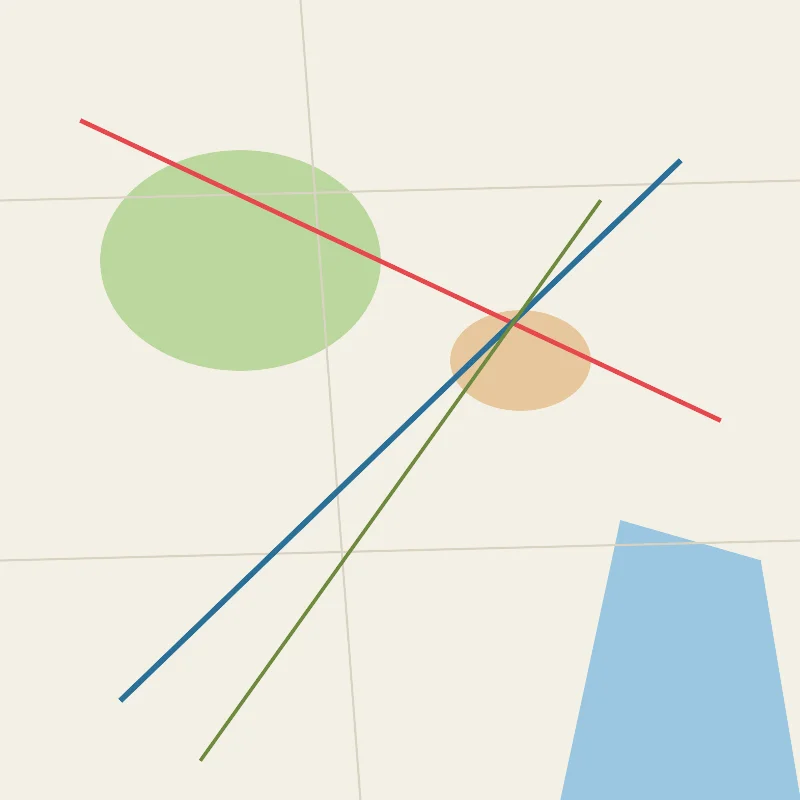
This is a poster-first preset with an urbanist heart. The Walkable City Map draws Vienna as a car-light city: the metro and tram lines and the green pedestrian paths are the loudest features, while the everyday street grid is pushed into a faint, soft background so it never competes. Everything is solid colour fill and line, so the whole design rides on a clear visual hierarchy - rails and walkways forward, cars back.
Vienna is a great match: its dense U-Bahn and tram network, its pedestrian squares and its green ring give the map a rich web of blue metro and red tram lines threaded through a calm cream city. The square 1:1 frame captures a neighbourhood-sized slice that reads as "this is how I get around without a car".
What You'll Need
UV print / sublimation
- The exported high-res PNG (4096 px)
- UV flatbed printer, or a sublimation setup with a coated blank (wood, hardboard, aluminium)
- Cream or light-toned blanks keep the soft background reading correctly
Poster / paper print
- The exported high-res PNG sent to a photo lab or printed on matte or textured art paper
- A frame; a clean modern frame suits the transit-map mood
Laser (optional, single tile)
- A light-toned wood or coated tile that engraves with contrast
- Any diode or CO2 laser
- Note: the colour hierarchy won't survive a laser - use it for a monochrome engraved version
Step 1 - Start from the preset
Open the Walkable City Map preset. It opens on Vienna at zoom 13.2 in a square (1:1) frame, which captures a walkable, transit-rich slice of the city. Pan so a tram or metro corridor runs across the frame; those coloured lines are what give the design its character. Zoom in to 13.7 for a tighter, neighbourhood feel, or out to 12.7 to take in more of the network.
Step 2 - Tune the layers
The preset is a single layer group, "Walkable city", and every feature is Solid fill or line - there are no cut or score layers, so the palette and the line weights are your dials. The whole point is hierarchy: keep the rails and paths bold and the street grid quiet.
- Land background - Solid fill, soft cream
#F4F0E6. The calm base that lets the transit lines pop. Push it lighter for an even quieter background. - Water - Solid fill, soft blue
#9CC7E0. The Danube and canals read as a gentle blue shape without stealing focus from the rails. - Parks - Solid fill, soft green
#BCD79F. Green spaces signal the pleasant, walkable parts of the city. - Pedestrian squares - Solid fill, warm sand
#E6C79C. The car-free plazas and pedestrian zones - a key part of the 15-minute story. - Streets - Solid line, faint
#D9D2C2(width 1.2). The ordinary street grid, deliberately quiet so cars stay in the background. - Primary roads - Solid line, muted
#C9C0AC(width 2.5). A touch heavier than streets, still kept soft. - Green paths - Solid line, leaf green
#6F8A3F(width 1.6). The walking and cycling routes that thread the neighbourhood together. - Metro / subway - Solid line, strong blue
#2A6F97(width 3). The boldest line on the map - the U-Bahn backbone. - Tram - Solid line, signal red
#E5484D(width 2.5). The bright red tram network laid over the calm city.
The hierarchy is the whole design. If you brighten or thicken the street grid it starts to read like a car map again, so keep streets and primary roads soft and let the metro blue and tram red carry the eye.
Step 3 - Export
- UV / sublimation: export the high-res PNG (4096 px). Keep the Background toggle on so the cream base prints as a solid field, or turn it off for a transparent background to let a light wood blank become the "paper".
- Poster: same high-res PNG, sized to your paper. The square 1:1 frame suits a 12x12 or 20x20 print.
- Laser (optional): export the per-layer SVG ZIP, ignore the colours, and engrave the transit and path network as a single tonal pass.
Choose Your Build Method
UV print / sublimation
- Export the high-res PNG. Turn the Background off and print onto a light wood blank to let the grain show through as the "paper", or leave it on for a full cream field.
- For sublimation, mirror the image and press onto a wood, hardboard, or aluminium blank per its spec. Lighter blanks keep the soft background and the bright metro and tram lines reading correctly.
- On a UV flatbed, print straight onto wood, acrylic, or hardboard. A white underbase keeps the blue and red lines vivid on darker stock.
- A matte or satin finish keeps the clean, modern transit-map look.
Poster / paper print
- Send the high-res PNG to a photo lab or print on matte or lightly textured art paper.
- Frame in a clean modern frame to suit the transit-map mood.
- The 1:1 square crop is set for you - keep it square, or re-export after switching the aspect ratio for a portrait format.
Make It Yours
- Transit-rich cities suit this best: Zurich, Amsterdam, Prague, Lisbon - dense tram and metro networks give the map its woven, car-light texture.
- Recolour the tram and metro lines to your city's real line colours so locals instantly recognise their network.
- Centre the frame on your own neighbourhood for a "my walkable streets" gift that shows exactly how someone gets around without a car.
- Lighten the Land background and the street grid further for an even quieter base that makes the rails pop harder.
- Boost the Green paths layer to celebrate a city's cycling and walking routes as the headline story.
- Add the city name and coordinates under the map in a clean modern typeface for a complete transit-poster look.
- Print large (20x20 square) in a modern frame as a statement piece, or small as a set of neighbourhood coasters.
New free tools, every month.
New laser cutting tools, what's coming next, and features we're building right now. Only MyLaserTools.com news. No spam, ever.
© 2026 MyLaserTools.com. All rights reserved.