

Fast vector engraving with the Single Line Text Generator
Difficulty: easy. Time: 5 minutes of design, seconds of engraving. Best method: laser vector engraving (scoring).
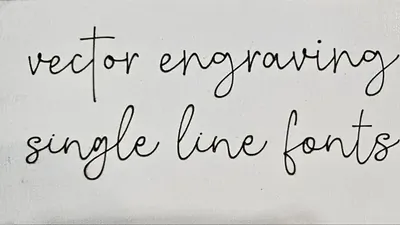
Normal fonts are outlines: engrave the word "Congratulations" and the laser rasters back and forth filling shapes for minutes. Single-line fonts are different; each letter is a single stroke path, so the laser scores it in one continuous motion, like handwriting with light. A name that rasters in four minutes scores in four seconds.
This is the tool for batch personalization: names on cutting boards, dates on ornaments, serials on jigs, hundreds of place cards at a wedding. The export is a clean open-path SVG meant for your laser's line/score mode.
What You'll Need
- Laser engraving: any laser cutter with a vector score mode, plus whatever you are personalizing: laser-grade plywood blanks, leatherette patches, anodized aluminum, coated tumblers (rotary), or finished goods
Step 1 - Type your text
Open the tool and enter your wording in Your Text. The Font list contains true single-stroke faces, from neat engineering lettering to flowing script; every one renders as open paths with no fill.
Step 2 - Size it
- Height sets the capital height in real units; use the Units toggle to match your measurements.
- Letter Spacing opens up or tightens the line. Scored text has no stroke weight of its own, so slightly generous spacing keeps small sizes legible.
- Single-line text stays readable far smaller than filled text; 3 mm tall names on jewelry blanks are perfectly practical.
Step 3 - Export
Download the SVG. Because the paths are open strokes, set them to line/score mode in your laser software, never cut mode and never raster fill.
Step 4 - Make a whole batch at once
Engraving the same label for a whole list? Use the Single / Batch toggle above the text field, switch to Batch, and type one line per item or upload a .txt file. The preview tiles every design so you can check the set, and one SVG download lays them all out on a single sheet, ready to engrave in one job. Remember to keep them on line/score mode.
Choose Your Build Method
Scoring the text
- Import the SVG; if your software asks, do not close or join the paths.
- Assign the layer to vector score: low power, high speed. On 3 mm plywood, start around 10 to 15 percent power at high speed and test on scrap.
- For darker lines on wood, slow down rather than adding power; deep scores look thin, slow scores look ink-like.
- On leatherette and anodized metal, a single light pass gives a crisp mark with zero cleanup.
- Batch it: duplicate the design across the bed and run dozens of personalized pieces in one job.
The same SVG also drives pen plotters, CNC drag engravers, and diamond-tip rotary machines; anything that follows a line loves single-stroke text.
Make It Yours
- Engrave guest names on wood place cards; a full wedding seating set scores in minutes.
- Add names and dates to the backs of ornaments and keepsakes you have already cut.
- Personalize leatherette patches before sewing them onto beanies and bags.
- Mark tool cribs and jigs with sizes and labels that never rub off.
- Score a recipe in handwriting-style script onto a cutting board.
- Use a pen plotter with the same SVG for hand-written-look envelopes and cards.
- Engrave serial numbers or batch dates on products without slowing production.
- Pair with any cut file from other tools: cut the shape first, then score the personalization.
New free tools, every month.
New laser cutting tools, what's coming next, and features we're building right now. Only MyLaserTools.com news. No spam, ever.
© 2026 MyLaserTools.com. All rights reserved.