

Making personalized gift tags with the Gift Tag Generator
Difficulty: easy. Time: 5 minutes per tag, batch a holiday's worth in an evening. Best methods: laser-cut plywood, 3D printed multicolor tags.
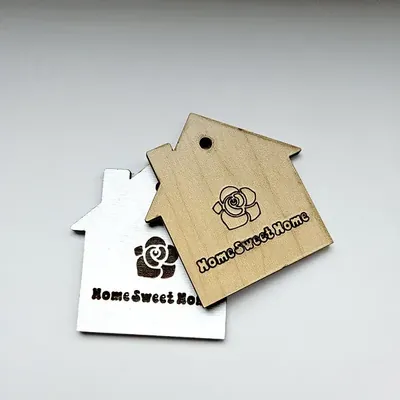
Paper tags get thrown out; wooden ones come back on next year's presents. Pick a Shape - the classic angled-corner Gift Tag, a Square, or a little House (perfect for housewarmings) - type the name, and the tool renders it as connected cut-out text inside the tag with a string hole at the top. Add a Symbol (hearts, snowflakes, stars) and place it with the offset sliders, set the Hole Size for your twine, and export.
What You'll Need
- Laser cutting: 3 mm laser-grade plywood or colored acrylic
- 3D printing: any FDM printer; a color swap makes the name pop from the tag
- Finishing: baker's twine or thin ribbon
Step 1 - Shape, name, symbol
Choose the shape and type the name in Text - the letters render as cut-outs, so bold rounded fonts keep every counter (the holes in e, a, o) attached. Add a Symbol and nudge it with Symbol Offset X / Y until it balances the name; Symbol Size keeps it subordinate to the text.
Step 2 - Hole and size
- Set Hole Size to 3-4 mm for twine, 5 mm for ribbon.
- Tags around 60-80 mm wide hang nicely on presents without dominating them.
- Switch Units to inches if you prefer.
Step 3 - Export
Download SVG for laser cutting, or set a thickness and grab STL/3MF for printing - the 3D export raises the tag border and text as a layered model.
Choose Your Build Method
Laser cutting
- Cut tags in batches - nest a dozen names on one sheet and run it once.
- The name cuts as holes in the tag, so back the tag with a contrasting card or fabric for instant color through the letters.
- Light sand, thread the twine, tie to the parcel.
- Acrylic tags in seasonal colors (red, frosted white, gold glitter) survive year after year.
Make It Yours
- Make one tag per family member and reuse them every Christmas - they become part of the tradition.
- House shape + new owners' name + the year is a five-minute housewarming gift topper.
- Use the snowflake symbol for December, hearts for February, stars for birthdays.
- String several name tags on one cord as a garland for a party table.
- Tie one to a wine bottle neck instead of a paper gift bag tag.
- Engrave To / From lines on the back in your laser software before cutting.
- Mirror acrylic tags double as tree ornaments after the unwrapping.
New free tools, every month.
New laser cutting tools, what's coming next, and features we're building right now. Only MyLaserTools.com news. No spam, ever.
© 2026 MyLaserTools.com. All rights reserved.