

Printing two-word illusion sculptures with the 3D Dual-View Text Generator
Difficulty: easy to design, intermediate to print well. Time: 10 minutes of design, a few hours of printing. Method: 3D printing only.
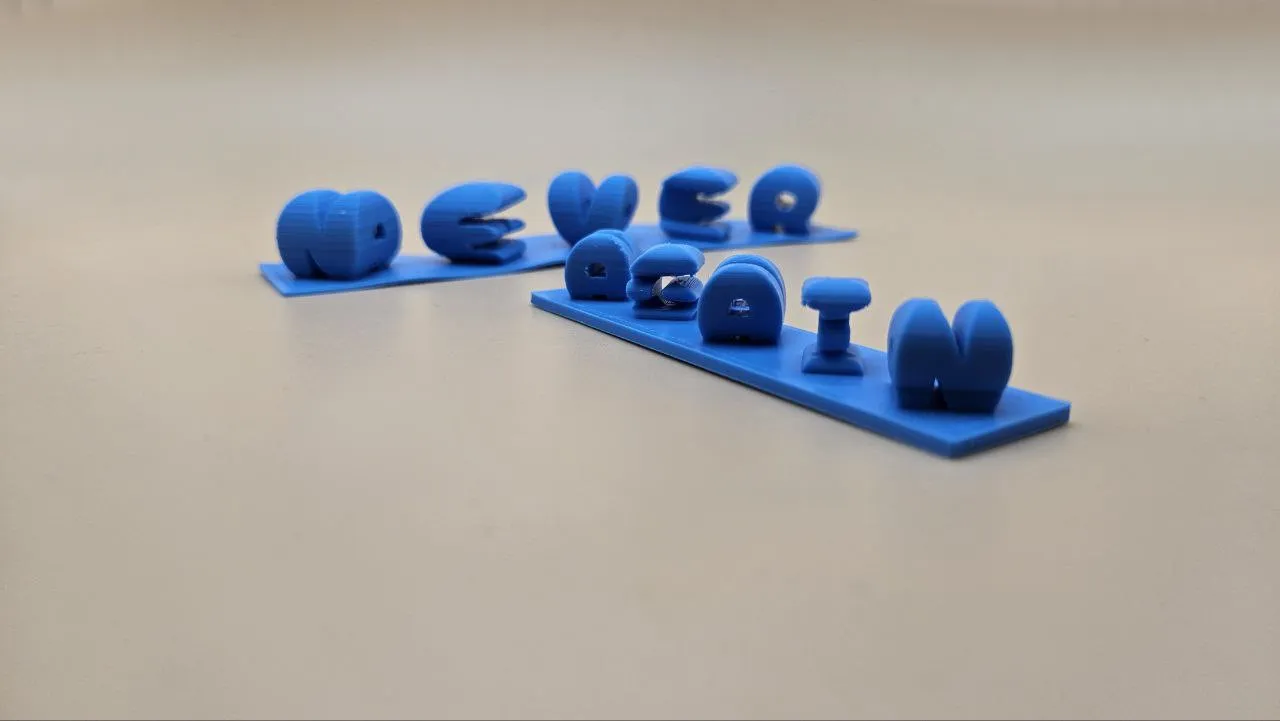
Stand in front of it and it says LOVE; step ninety degrees to the side and it says YOU. The dual view illusion works by extruding one word toward you and the other word sideways, keeping only the volume where the two silhouettes intersect. This tool does the heavy geometry for you and shows a live 3D preview you can orbit to check both readings.
It produces a genuinely jaw-dropping desk gift from nothing but two short words: couple names, HOME/SWEET, GAME/OVER, a name and a year. Export is STL or 3MF, ready to slice.
What You'll Need
- 3D printing: any FDM printer (resin works beautifully too), one spool of filament; a contrasting surface or shelf corner to display it where both views are walkable
Step 1 - Pick your two words
Open the tool and fill in Left View Word and Right View Word. Words of similar length intersect best; LOVE and HOPE is a classic because every letter pair overlaps generously. Pick a bold Font; thin strokes produce thin intersections that print poorly. Use the orbit preview to confirm both words read cleanly.
Step 2 - Shape the object
- Letter Style switches between Square (each letter pair intersected in its own block) and Separate treatments of the letterforms.
- Letter Spacing and Letter Vertical Offset tune how the letters sit relative to each other; small vertical offsets often rescue letter pairs that barely overlap.
- Fill Symbol fills gaps where two letters share no volume, keeping the object connected.
- Object Height sets the physical size, with the Units toggle for mm or inches.
- Stand and Plate Thickness add an integrated base plate so the sculpture prints and displays as one piece.
- Resolution (Low to Ultra) trades preview speed for mesh smoothness; design at Med, export at High or Ultra.
- Preview Colour is cosmetic, but matching your filament helps judge readability.
Step 3 - Export
Download the STL or 3MF and open it straight in your slicer. There is no SVG here; this design only exists in three dimensions.
Choose Your Build Method
Slicing and printing
- Orient the model with the stand plate on the bed; the letters rise as diagonal towers.
- Enable supports if your letter pairs produce steep overhangs; organic/tree supports remove most cleanly from the angled faces.
- Print at 0.12 to 0.16 mm layers; the diagonal surfaces show layer stairs more than vertical walls do.
- 15 percent infill and 3 perimeters is plenty; the geometry is naturally rigid.
- A neutral matte filament (white, grey, black) reads best; shiny silks can confuse the silhouettes with highlights.
- Place the finished piece near a corner or on a turntable so people naturally discover the second word.
Make It Yours
- Couple names for a wedding or anniversary gift; the two-readings metaphor writes the card for you.
- MAMA from one side, a child's name from the other for Mother's Day.
- GAME one way, OVER the other for a gamer's shelf.
- A name and graduation year for a grad desk trophy.
- Team name and jersey number for a sports award.
- EAT and YUM for kitchen shelf decor.
- Print two copies mirrored so a pair of bookends reads differently from each end of the shelf.
- Photograph both views side by side when gifting online; the reveal video is the gift's best marketing.
New free tools, every month.
New laser cutting tools, what's coming next, and features we're building right now. Only MyLaserTools.com news. No spam, ever.
© 2026 MyLaserTools.com. All rights reserved.