

Gear Generator
Design meshing gears that really turn: involute and cycloidal teeth, planetary sets, ring gears, racks, compound stacks, and non-circular gears that speed up and slow down.
Settings
Preset
Arrangement
Teeth
Fit
Style
Numbers
- Centre distance 1 to 2: 84.00 mm
- Ratio 30:12 turns 0.40x slower
- Last gear turns against the first
- Pitch diameter: 120.0 mm
Vector Export
3D Print Design
Each gear is extruded to the depth you set. Print gears flat with three or more perimeters so the teeth are solid wall.
3MF preserves richer print metadata when your slicer supports it.
Generate a design to see the 2D preview
Generate a design to see the export preview
Examples
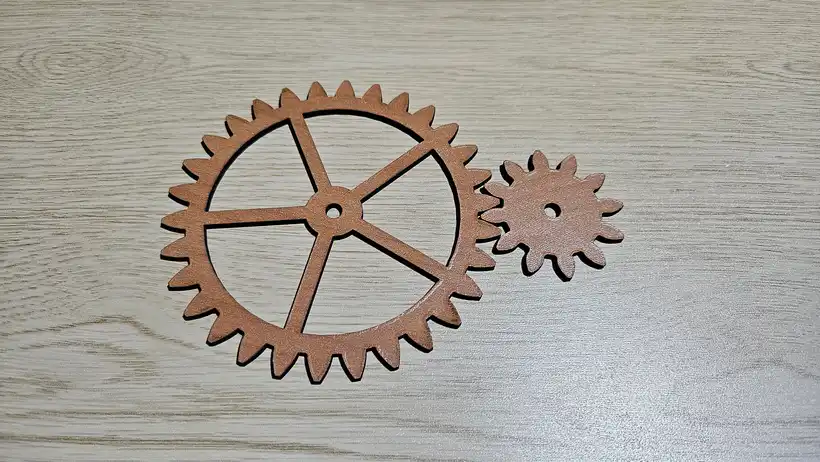
Laser cut in cherry plywood. The involute teeth mesh cleanly straight off the sheet.
Material used:
Set the module and tooth counts, then cut the pair. Lightened spokes keep the big wheel easy to turn.
How to use
Frequently Asked Questions
Yes. The Gear Generator is 100% free with no limits, no watermarks, and no trial period. Generate and download as many files as you want, free forever.
About
This free gear generator draws real gear geometry, not gear-shaped decoration. Involute flanks are taken off the base circle, tooth thickness comes from the pitch circle with your backlash allowance removed, roots are cut to a genuine clearance depth and rounded with a fillet, and a tooth that would come to a point is clipped back rather than allowed to cross itself.
Beyond plain spur gears it builds trains of up to twelve gears, internal ring gears, racks, planetary sets with the assembly condition checked for you, compound stacks with matching spacer rings, and non-circular gears whose mate is solved numerically from the no-slip condition so an ellipse really does roll against its conjugate. Cycloidal teeth are there too, for clock work where pinions drop to six or eight leaves.
Everything exports as a layered SVG for laser cutting or CNC, plus print-ready STL and 3MF parts. For a planetary display clock with exposed cog wheels that turn around a ring gear, use the Moving Gear Wall Clock.
Keep up with MyLaserTools.
Email me about new tools, product updates, tutorials, and occasional MyLaserTools offers. Unsubscribe at any time.
© 2026 MyLaserTools.com. All rights reserved.